Every growing business in Central Florida hits the same wall. You've hired your third employee, or your tenth, or your fiftieth — and suddenly the person who knows everything about how things work is spending half their week training new hires the same way they trained the last batch. Same walk-throughs. Same explanations. Same answers to the same questions. Live training is eating your most valuable resource alive: the time and attention of the people who actually know what they're doing.
I've spent more than ten years producing video for businesses across Central Florida — from Deltona to Orlando to Daytona Beach — and over 1,000 videos into my career, training content is consistently one of the highest-ROI categories I produce. Not because it's glamorous. Because it's strategic. A training video does not get tired. It does not call in sick. It delivers the same quality explanation to the fortieth employee as it did to the first. And once it's built, it costs you nothing to run.
This guide is the full playbook — from making the case for video training internally, to planning your curriculum, choosing formats and platforms, and understanding when it's worth hiring professionals versus doing it in-house. I'm also including two interactive tools: a module type planner to spec out your training library, and an ROI calculator that will show you in concrete dollar terms exactly why the investment pays back fast.
Why Most Businesses Over-Rely on Live Training
Live training feels intuitive. It's how most of us learned everything we know about our businesses — someone sat down with us, walked us through it, answered our questions in real time. That feels right. It feels human. And for complex, nuanced conversations — culture alignment, conflict resolution, relationship-building — it absolutely is right. But most businesses apply that live training model to everything, including the parts that don't need it at all.
Walk-throughs of software. Explanations of your standard operating procedures. How to handle a specific customer objection. How to process a return. How to set up your email signature. These are not conversations — they're information transfers. And information transfer is exactly what video does better than any human being in real time. When your operations manager spends 45 minutes explaining your project intake process to every new account manager who joins the company, that's not mentorship. That's a video waiting to be made.
The deeper problem is what I call the consistency gap. When live training is your default, every employee gets a slightly different version of the truth. The trainer who's having a good day covers things thoroughly. The one who's slammed covers the headlines. The one who's been at the company for eight years explains the reasoning behind policies; the one who started two years ago just explains the policies. Over time, inconsistency at the training stage compounds into inconsistency at the performance stage. Your customer experience suffers because your people weren't all taught the same things the same way.
There's also the scalability problem, which is especially acute for businesses in high-growth phases. When you're hiring one or two people a month, live training is manageable. When you're hiring five or ten, it becomes a full-time job — and not a productive one. I've worked with multi-location businesses in the Orlando metro area that were spending 20+ hours per week on onboarding alone. That's not a training budget problem. That's an infrastructure problem that video solves permanently.
None of this means you eliminate human interaction from your training. It means you stop using human beings for the parts that don't require them, so that your best people can spend their time on the parts that do. Video handles the what and the how. Your managers and mentors handle the why, the nuance, and the relationship. That's a much better use of everyone's time.
The Real ROI of Video Training
Let's talk numbers, because the case for training video production is fundamentally a financial one. Business owners in Central Florida are practical people. They want to know what they're getting for their money before they spend it. So here's the honest accounting.
Consistency at scale. Every employee trained on video gets the same explanation, in the same words, with the same emphasis, every time. For businesses with multiple locations — and Central Florida is full of them, from multi-unit franchises in Kissimmee to regional contractors with crews across Volusia and Seminole counties — that consistency is worth an enormous amount. One training library covers Orlando, Daytona Beach, and New Smyrna Beach simultaneously, with zero drift in quality or content.
On-demand access eliminates scheduling friction. When training is live, new hires have to wait for the trainer to be available. When training is video, a new hire can start learning on day one, at their own pace, on whatever device they have. This compresses ramp-up time significantly — most businesses I've worked with see new hires reaching productivity 25-40% faster after implementing a video training library compared to their live training baseline.
Turnover costs drop. This one surprises business owners. The connection between good onboarding and employee retention is well-documented. Employees who feel confident in their role from the start — who know exactly what's expected of them and have the resources to meet those expectations — stay longer. The cost of replacing an employee is estimated at 50-200% of their annual salary when you factor in recruiting, onboarding, and lost productivity. Video training that reduces turnover by even a small percentage pays back fast.
"Train people well enough so they can leave. Treat them well enough so they don't want to."
Trainer time redirected to higher-value work. When your operations manager isn't spending 15 hours a week walking new hires through the same processes, that time doesn't disappear — it gets redirected. To strategy. To coaching. To solving the actual hard problems that require a real human being with real institutional knowledge. That reallocation is often the most valuable outcome of a training video investment, even if it's the hardest to put a number on.
Compliance and liability protection. For businesses in regulated industries — healthcare, construction, food service — having documented, consistent safety and compliance training delivered via video creates a defensible record. Every employee who completes the training can be tracked, and the content of that training is identical every time. That's not just efficient. In some industries, it's essential protection.

Training Video Module Planner
Not all training videos are built the same way. An employee onboarding video has completely different requirements than a compliance and safety module. The format, length, number of videos, and even the platform you distribute on all change based on the type of training you're creating. Use the planner below to spec out your training library before you start building — or before you engage a production team to build it for you.
A few notes on using this planner. First, most training libraries are a combination of module types — an onboarding track usually contains culture and values content alongside process training. Build each track separately and think about how they layer together into a full new-hire experience. Second, the video counts in the planner are starting recommendations, not ceilings. If your processes are complex, plan for more videos and shorter runtimes rather than fewer long ones. Attention drops off sharply after the 8-10 minute mark for most workplace training content.
Third — and this matters a lot for businesses building their first training library — start with the content that gets repeated most often. What are the five things you explain to every new employee in their first week? Make those videos first. You'll see returns immediately, which makes it easier to justify expanding the library over time.
Types of Training Videos: What Works for What
The format of a training video should be driven by the type of content, not by convenience or equipment. There are four primary formats I use for training video production in Florida, and each has a specific use case where it outperforms the others.
Talking Head / Interview Format
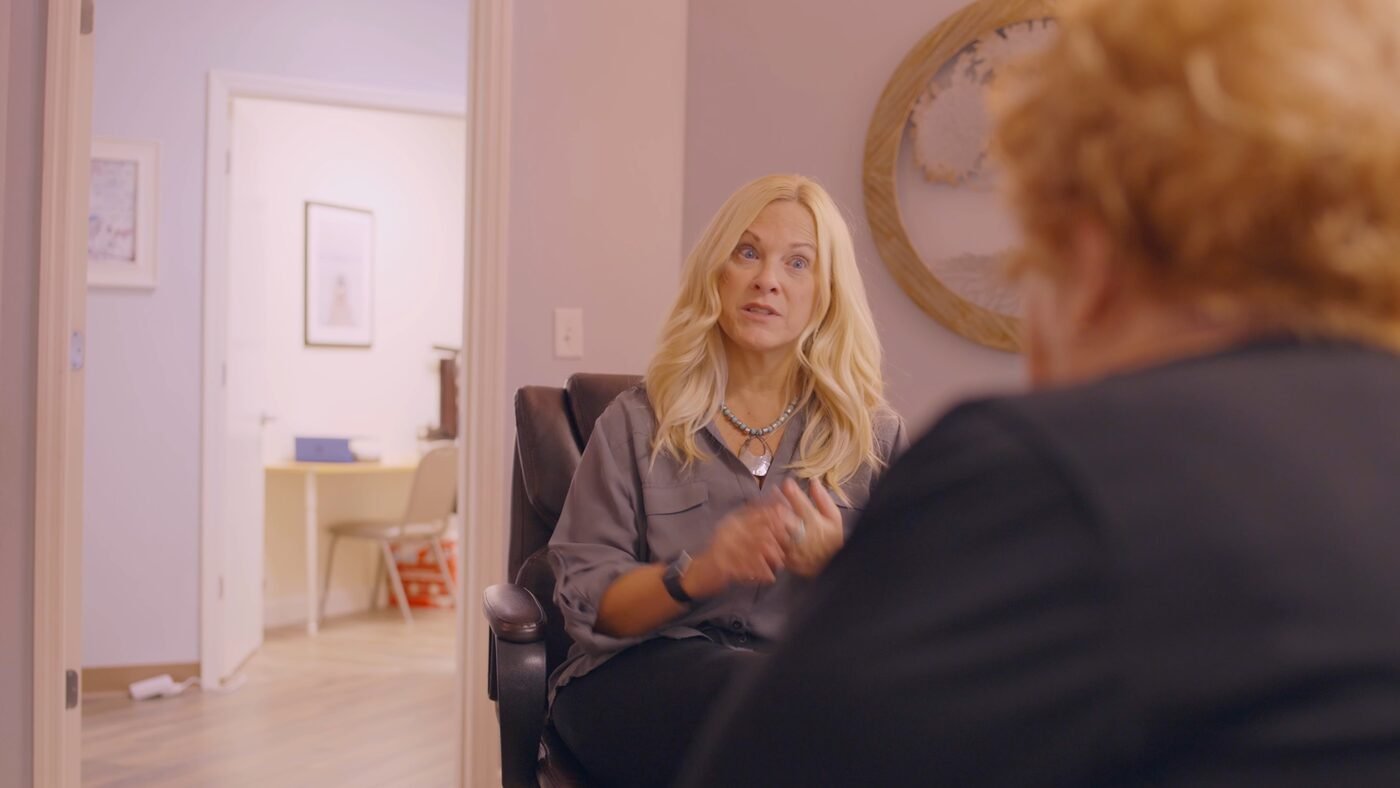
This is the most common format for culture, values, leadership messaging, and introductory content. A person — usually a manager, founder, or subject matter expert — speaks directly to camera in a clean, professional setting. The format is personal and human. It works best when the content benefits from a relational element: welcoming a new employee, explaining company values, introducing a team or department. The key to making it work is keeping the presenter natural and unscripted-feeling, even if they've prepared thoroughly.
Screen Recording with Voiceover
For software training, system walk-throughs, and any process that lives on a screen, this is the gold standard. Screen recording captures exactly what the employee will see when they do the task themselves, narrated step by step. It's efficient to produce, easy to update, and extremely effective for technical training. The most common mistake businesses make here is recording at too high a resolution or too fast a pace — train as if the viewer has never touched your software before, because they haven't.
Demo / Demonstration Format
When the training involves a physical process — operating equipment, preparing a product, demonstrating a service, executing a procedure — a demonstration video shows exactly what right looks like. Camera placement matters enormously here: film over-the-shoulder when showing hand work, use a fixed wide shot to show full-body movement, and use close-ups for critical details. This format is underused in industries like construction, food service, and healthcare, where consistent physical execution is everything.
Mixed Format (Talking Head + Screen + B-Roll)
For your most important training content — especially comprehensive onboarding modules and compliance-critical training — a mixed format delivers the best results. A presenter establishes context and importance, screen recording or demonstration shows the actual steps, and b-roll footage reinforces key moments visually. This format requires more production investment but produces the most engaging content, which directly affects completion rates and knowledge retention.
Format rule of thumb: Use talking head for the why. Use screen recording or demo for the how. Use mixed format when both matter equally. Don't mix formats within a single short video — pick one and do it well.
Ready to Stop Training the Same Thing Twice?
Book a free strategy call. We'll map out a training video library built around your team's actual workflow — no fluff, no filler.
Book My Free CallNo contracts · No pressure · Just a real conversation
In-House vs. Professionally Produced Training Videos
This is the question I get asked most often by growing businesses in Central Florida: do we need to hire a professional to produce training content, or can we handle it ourselves? The honest answer is both — and understanding when to use each approach is what separates companies that build effective training libraries from ones that produce content nobody watches.
Do it in-house when: The content is process-specific and highly likely to change (software updates, minor procedure tweaks), the audience is internal and expectations for production quality are more flexible, the turnaround time needs to be fast, or the content is simple enough that a screen recording and voiceover will capture everything a viewer needs to know. In-house production tools have become excellent — Loom, OBS, and even built-in screen recording on modern operating systems can produce training content that's perfectly adequate for internal use.
Bring in professionals when: The content is high-stakes — compliance training where accuracy and professionalism reflect directly on your company's credibility, onboarding content that represents your culture and brand to every new hire, or sales process training that shapes how your team shows up in front of customers. Also bring in professionals when the content is foundational — meaning it will be used for years rather than months. The production cost amortizes over a much longer lifespan, and the quality pays dividends throughout.
There's a third consideration that most business owners miss: the first impression effect. Your onboarding videos are often the first real content a new employee engages with before they've even met most of their colleagues. What does the production quality of those videos communicate about your company? A shaky, poorly lit screen recording with inconsistent audio sends a message — unintentionally, but clearly — that this organization doesn't invest in its people or its processes. A clean, thoughtfully produced set of training videos communicates the opposite. For growing businesses where culture and retention are priorities, that signal matters.
I've produced training video content for businesses across the Central Florida region — from construction companies in Deltona managing multi-crew operations to professional services firms in the I-4 corridor onboarding new associates. In every case, the content that gets used most consistently and generates the most positive feedback from new hires is the content that was produced with care: clear audio, professional presentation, content that respects the viewer's time and intelligence.
Building a Training Video Curriculum
A training video library isn't a collection of random content. It's a curriculum — a structured sequence of learning experiences that takes a new employee from zero to competent in a predictable, repeatable way. Designing that curriculum before you produce a single video is the most important thing you can do to ensure the library actually gets used.
Start with the Employee Journey
Map out the first 90 days of a new employee's experience at your company. What do they need to know in week one to not be lost? What can wait until week two or three? What knowledge is a prerequisite for other knowledge? That mapping exercise becomes the architecture of your training curriculum. Each node on that map is either a live interaction (intentional conversations, coaching sessions, team introductions) or a video module. Build the video library to fill the gaps where live interaction is either inefficient or unnecessary.
The Three-Layer Model
The training curricula that work best are built in three layers. The first layer is context: who are we, what do we stand for, why does this work matter? This is culture and values content, usually a small number of short videos from leadership. The second layer is process: how do we do what we do? This is where the bulk of your training video library lives — step-by-step explanations of every core workflow, system, and procedure. The third layer is performance: what does excellent look like in practice? This layer includes customer interaction examples, quality standards demonstrations, and case studies from your own business. Many companies build layers one and two but neglect layer three entirely, which is exactly where new employee performance gets stuck.
Content Sequencing and Prerequisites
Not all training content is equal in urgency or order-dependency. A new sales hire doesn't need to watch the accounting software tutorial in week one. A new production team member needs equipment safety training before they need sales process training. Build your curriculum with explicit sequencing — this video comes before this one, because the second one assumes knowledge of the first. LMS platforms (learning management systems) can enforce this sequencing automatically, which prevents new hires from skipping ahead into content they're not yet equipped to absorb.
Practical starting point: Interview your three best-performing employees and ask them: "What do you wish you had known in your first week that took you months to figure out?" Those answers become the priority list for your training video production calendar.
How to Keep Employees Engaged with Training Video
Here's the uncomfortable truth about training video: producing it is only half the challenge. Getting people to actually watch it, absorb it, and apply it is the other half. Video doesn't automatically get watched any more than a training manual automatically gets read. Engagement is something you have to design for, not assume.
Keep individual videos short. The research on video learning is consistent: engagement drops significantly after 8-10 minutes for most professional training content. Rather than building comprehensive 30-minute training modules, break content into 3-7 minute units that each cover a single concept or skill. A viewer who finishes a short video feels progress. A viewer who's 20 minutes into a 45-minute video feels like they're trapped. Shorter videos also make content easier to find and re-watch when employees need a refresher.
Embed knowledge checks. If your platform supports it, add simple multiple-choice questions after each video. Not to gatekeep or punish — to reinforce retention. The act of answering a question after watching content increases how much of that content sticks by a significant margin. This is standard cognitive science applied to video training. Even if you're using a basic platform without built-in quiz tools, you can implement knowledge checks via a linked Google Form at the end of each video.
Connect training to real performance from day one. The most common reason employees disengage from training video is that it feels disconnected from their actual work. If you're asking someone to watch a customer service training module, show them how the specific behaviors in the video will show up in their specific role. Have their manager reference training content in early coaching conversations. Build training into the onboarding timeline in a way that's clearly connected to what they're doing and learning on the job, not treated as a separate box-checking exercise.
"An organization's ability to learn, and translate that learning into action rapidly, is the ultimate competitive advantage."
Make videos easy to find and re-watch. A training video that lives in a shared Google Drive folder without organization is almost as useless as a training video that was never made. Employees need to be able to find exactly what they're looking for in under 30 seconds. Name your videos specifically ("How to Process a Customer Refund in Shopify" not "Refund Training"). Organize by role and function, not just by topic. Build a simple index — even a shared Google Sheet — that lets anyone find the right video immediately.
Acknowledge completion publicly. Training video completion rates increase when employees know their progress is visible and recognized. A quick shoutout in a team meeting to a new hire who's completed their onboarding curriculum, or a simple tracker that shows the team's training library engagement, makes video learning feel like a real part of the culture rather than something tacked on. This is especially important in the first few months after launching a new training library — the novelty wears off, and visibility keeps engagement up.
Platform Options: Where to Host Your Training Videos
Where you host your training videos determines how they get accessed, who can see them, how completion is tracked, and how much flexibility your curriculum has. There's no single right answer — the best platform depends on the size of your team, your technical comfort level, and how much you want to invest in infrastructure versus content. Here's an honest breakdown of the main options.
Learning Management Systems (LMS)
An LMS is purpose-built for training delivery. Platforms like TalentLMS, Teachable, Thinkific (for internal use), and Trainual offer structured course organization, completion tracking, quiz functionality, and in many cases automated sequencing. If you're training more than 20-30 employees or need to document compliance training completion, an LMS is worth the investment. Pricing ranges from free tiers with limited functionality to a few hundred dollars per month for full-featured solutions. For most growing businesses in the 20-100 employee range, a mid-tier LMS at $50-150/month is the right level of infrastructure.
YouTube Private / Unlisted
YouTube's private and unlisted video settings give you a free, reliable hosting platform that works on any device with an internet connection. Unlisted videos require a direct link to access — they won't appear in search. Private videos require viewers to be logged in to a Google account you've granted access. For small teams without an LMS budget, a private YouTube channel organized into playlists by training track is a surprisingly functional solution. You lose completion tracking and quiz functionality, but gain zero cost and familiar, reliable video playback.
Google Drive / Shared Folder
The simplest option: upload videos to Google Drive, organize them into folders by training track or role, and share folder access with employees. This works best for very small teams (under 10) where informal accountability is sufficient. The limitations are real — video playback quality is lower than YouTube, there's no tracking, and organization can become chaotic fast. Use this as a starting point if you're just getting your first few videos made, with a plan to graduate to a real LMS as your library grows.
Vimeo for Business
Vimeo's business tiers offer private video hosting with password protection, custom embed options, and basic analytics. It's a step up from Google Drive in terms of playback quality and professional presentation, without requiring a full LMS. If you want to embed training videos into your internal intranet, Notion workspace, or employee handbook, Vimeo gives you the cleanest embed experience. Pricing starts around $20/month for their Plus tier.
Internal Wiki / Intranet Integration
Many growing businesses in Central Florida are using tools like Notion, Confluence, or even a well-organized SharePoint site as their internal knowledge base — and embedding training videos directly in those pages creates a seamless experience where the video and the context around it live together. An employee looking up the refund process finds both the written SOP and the training video in the same place. This integration approach works exceptionally well for process training, where the video is one component of a broader documentation ecosystem.
Training Video ROI Calculator
Before committing to a training video production project, it's worth doing the math. Use the calculator below to estimate your current annual cost of live training, how much you'd save by shifting to video, and how quickly the production investment would pay back. The numbers are based on industry benchmarks — a 40-60% reduction in training time is consistently cited in research from IBM, Brandon Hall Group, and Towards Maturity. Your actual results may vary, but the directional case is usually compelling.
Production investment estimate is based on a standard training video library of 8-15 videos. Actual costs vary based on number of videos, format complexity, and required post-production. See our pricing page for detailed breakdowns. Savings estimates use a 50% time reduction benchmark; actual results may range from 40-60%.
A few things the calculator won't capture that are worth noting. It doesn't account for the value of freed trainer time redirected to higher-leverage work. It doesn't account for the reduced error rates and performance improvements that come from consistent training delivery. And it doesn't account for the compounding effect of a training library that grows over time — each video you add increases the value of the whole system. The real ROI is typically higher than what the calculator shows, not lower.
Measuring Training Video Effectiveness
A training video library that doesn't get measured doesn't get better. And a training library that doesn't get better eventually gets ignored. Measuring the effectiveness of your training content isn't complex — you don't need a sophisticated analytics platform — but you do need to be intentional about what you're tracking and why.
Completion Rates
The most basic metric: what percentage of employees who were assigned a video actually completed it? If completion rates are below 80% for mandatory training, there's a problem — either with the content (too long, too boring, too irrelevant), the delivery platform (hard to access, difficult to navigate), or the accountability structure (no one is checking). Low completion rates are the first signal that something needs to change. If you're using YouTube or Google Drive and don't have completion data, add a simple completion form that employees fill out after each module.
Knowledge Retention Assessments
Post-training quizzes measure whether employees absorbed the content, not just whether they watched it. Track average quiz scores by video and by employee cohort. If scores on a particular module are consistently low, the video isn't communicating its key concepts effectively — the content or presentation needs revision. If quiz scores are high but on-the-job performance isn't matching, there's a gap between knowledge and application that video alone can't close, and a coaching intervention is needed.
Time to Proficiency
How long does it take a new hire to reach full productivity in their role? If you had a baseline before you implemented video training and you track it afterward, this is one of the most compelling metrics you can gather. In my experience working with businesses across Central Florida, the businesses that are most rigorous about tracking this metric are also the ones most committed to continuously improving their training libraries — because they can see the direct link between training quality and performance ramp-up time.
Manager Feedback on New Hire Readiness
A simple monthly survey to hiring managers asking "how prepared were your new hires when they finished onboarding?" on a 1-10 scale costs nothing and surfaces information that no analytics platform can provide. If managers are consistently reporting that new hires are showing up without knowledge of specific processes or systems, that's your content gap analysis right there. Use that feedback to prioritize new video production.
When to Update Your Training Videos
One of the most common objections I hear from business owners considering a training video investment is: "but what happens when things change?" It's a fair question. Businesses evolve. Software gets updated. Processes get refined. Policies change. The fear is that you'll invest in a training library only to have it become outdated.
The honest answer is that this concern is real but manageable, and the solution is a combination of smart content design and a systematic review process. Here's how to think about it.
Design for Modularity
The best training libraries are designed so that individual modules can be updated without requiring a full overhaul. If your screen-recording tutorial for your CRM software is a 20-minute single video, every software update requires re-doing the entire thing. If it's six 3-minute videos each covering a specific function, a UI change in the refund workflow only requires re-recording one module. Modular design is the single most important architectural decision you can make for the long-term maintainability of your training library.
Separate Evergreen from Process-Specific Content
Culture and values content, foundational skills training, and leadership messaging tend to be stable — these are the videos that last years without needing updates. Process-specific content (software tutorials, specific SOPs, pricing or policy explanations) changes more frequently. Know which is which before you invest production resources. High-quality professional production for your evergreen content is worth it. A quick in-house screen recording for a process video that might change in six months is the right call.
Build a Review Schedule
Set a calendar reminder to review your training library every six months. Ask the people who use it — new hires, their managers — what's outdated, what's missing, and what's confusing. This doesn't need to be comprehensive every time. It just needs to be intentional. The businesses I've worked with that maintain the most effective training libraries don't have bigger budgets. They have a systematic habit of checking and updating, which keeps the library trustworthy and usable long after the initial production investment.
The Central Florida Context: Rapid Growth Requires Scalable Systems
I want to close this article with something specific to our market. Central Florida — the I-4 corridor, Volusia County, the greater Orlando area — is one of the fastest-growing regions in the country. Businesses here are scaling faster than almost anywhere else in the Southeast. Multi-location franchises expanding out of Osceola County. Service businesses adding crews to cover Flagler County and beyond. Professional services firms opening second offices in Lake Mary or Winter Garden. Healthcare networks adding facilities across the region.
That growth is exciting. It's also, operationally, a stress test. The fastest way to lose quality during rapid expansion is to let your training infrastructure lag your headcount. Every time you hire a new employee before you have a reliable, consistent system for getting them up to speed, you're taking on a small but real risk that they'll learn the wrong things from the wrong people and apply them to customers who expect consistency. Video marketing for small businesses and training video production share a fundamental principle: consistent communication at scale requires systems, not just effort.
If you're a growing business in Central Florida — if you're adding employees, opening new locations, or simply tired of explaining the same things over and over — training video production is the most directly actionable investment you can make in your operational foundation. I've helped businesses build these systems from scratch. I know what works, what doesn't, and how to get a library off the ground without overwhelming your team or your budget. Learn more about how much video production costs or explore our full range of video services to see how training content fits into your broader video strategy.